

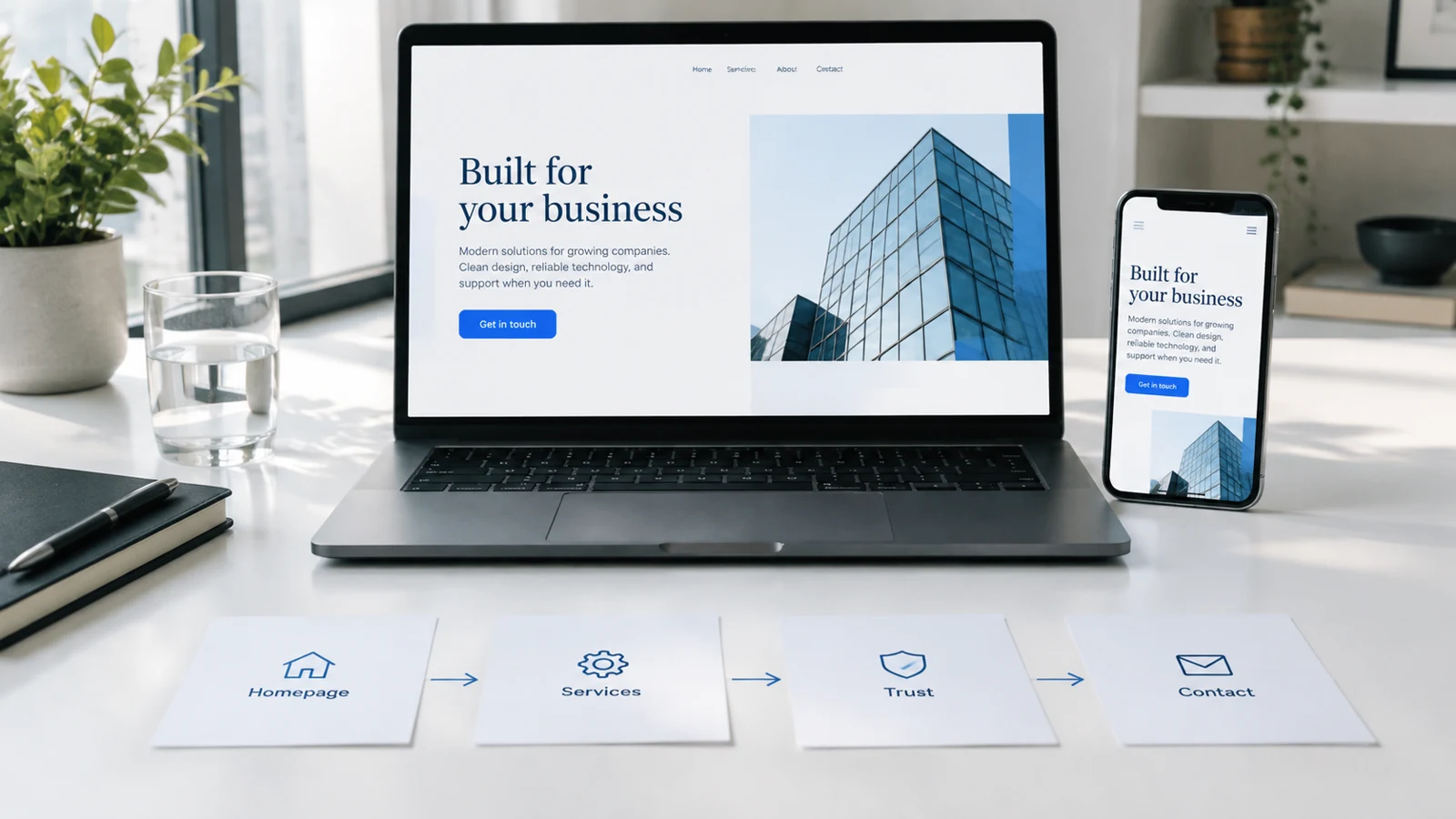
A complete business website design checklist covers eight connected pillars: clear conversion goals, logical page and navigation structure, responsive mobile usability, verifiable trust signals, fast Core Web Vitals performance and accessibility, built-in SEO foundations, low-friction enquiry forms, and accurate analytics tracking. Getting these foundations right during planning prevents costly post-launch redesigns and turns website traffic into measurable business enquiries.
Many small businesses and service companies launch websites that look polished on a desktop monitor but struggle to generate leads. Common causes include vague service descriptions, buried contact pathways, slow mobile load times, and missing search engine fundamentals. Whether you are building a new site or planning a redesign, work through the eight-part checklist below before approving final development.
1. Website Goals and Audience Positioning
Effective website design for business begins with commercial clarity rather than visual decoration. Before choosing layouts, colors, or templates, align your team on four baseline decisions:
- Primary Conversion Objective: Define the primary action you want a qualified visitor to take, such as submitting a quote request, booking a consultation call, starting a WhatsApp conversation, or requesting a service audit.
- Target Buyer Profiles: Identify your core buyer segments, the specific problems they are trying to solve, and the questions they need answered before contacting a vendor.
- Clear Above-the-Fold Positioning: Write a direct above-the-fold headline and subheadline that state what your business does, who it serves, and what differentiates your approach within five seconds of landing.
- Traffic Source Alignment: Map how visitors will arrive (organic Google search, Google Business Profile, paid search ads, social media, or direct referrals) so landing layouts match visitor intent.
2. Essential Pages and Navigation Structure
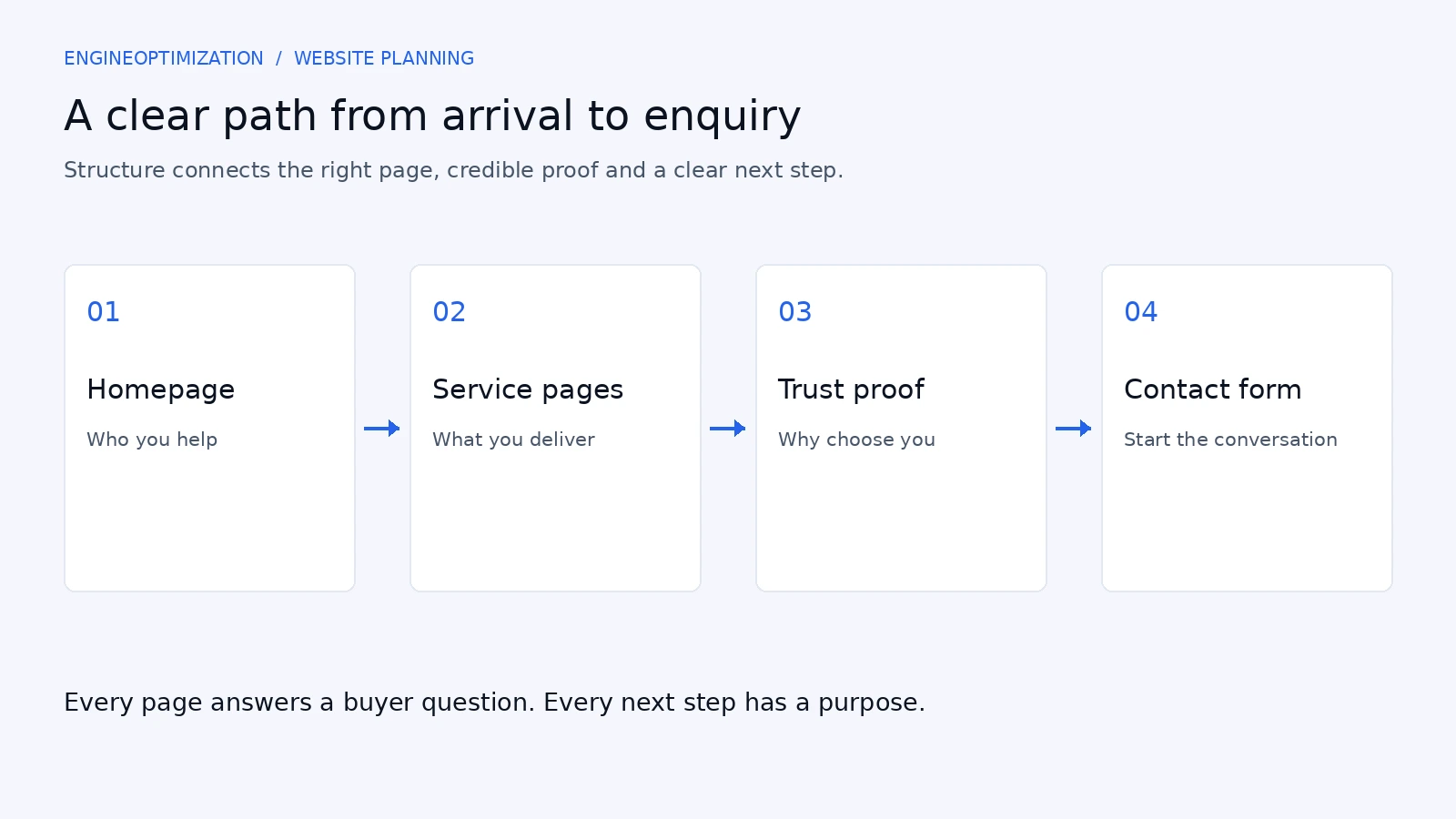
A logical website structure helps visitors find answers quickly while allowing search engines to understand your core offerings. Avoid cramming every service onto a single generic page, and keep top-level navigation focused on five to seven clear items.
| Core Page Type | Commercial & UX Role | Essential Elements to Include |
|---|---|---|
| Homepage | Orient new visitors immediately, summarize core services, display primary trust signals, and route users to dedicated service or contact pages. | Clear value proposition headline, service overview cards, proof elements, and primary CTA button. |
| Dedicated Service Pages | Capture high-intent searches and persuade buyers evaluating a specific offering. | Clear deliverables, who the service is for, step-by-step process, service FAQs, and contextual enquiry form. |
| About / Company Page | Establish human credibility, operational transparency, and business legitimacy. | Company background, leadership or team expertise, office location, and working principles. |
| Proof / Work Examples | Demonstrate real capability with verified, accurate examples rather than vague claims. | Documented project scope, problem solved, and verifiable outcomes where approved. |
| Blog / Resource Hub | Answer buyer research questions, build topical authority, and support service pages via internal links. | Categorized guides, clear author attribution, publication dates, and relevant service links. |
| Contact Page | Remove friction for visitors ready to enquire immediately. | Short contact form, direct email, phone number, business hours, and office location details. |
If you are mapping out site architecture and user flows for a new build, explore our Website Design services to align page hierarchy with buyer conversion.
3. Mobile Experience and Responsive Design
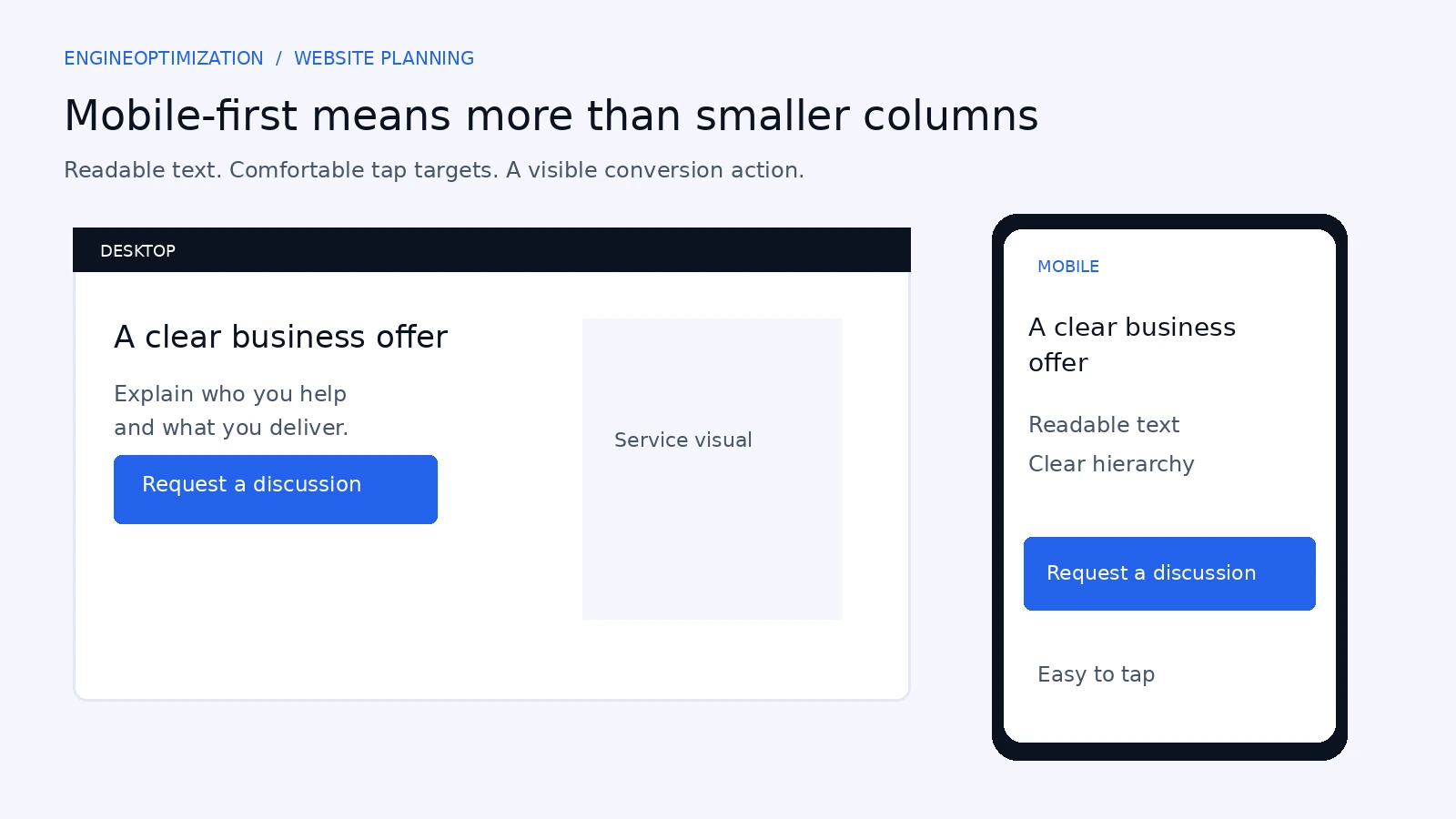
Google uses the mobile version of a website's content for indexing and ranking under mobile-first indexing, and a large share of service-business buyers browse on smartphones. Responsive design must go beyond shrinking desktop columns:
- Mobile-First Layout Hierarchy: Design layouts for mobile viewports first, ensuring headlines, value propositions, and primary call-to-action buttons appear cleanly without horizontal scrolling.
- Readable Mobile Typography: Use legible body font sizes (at least 16 pixels on mobile), generous line spacing, and clean visual contrast so visitors never need to pinch and zoom.
- Thumb-Friendly Tap Targets: Keep buttons, menu toggles, and form inputs large enough to tap comfortably with one thumb, with sufficient spacing to prevent accidental clicks.
- Unobstructed Mobile Actions: Ensure phone numbers are tap-to-call enabled and sticky headers or pop-up chat widgets do not block core page copy.
4. Trust Signals and Credibility Elements
First-time visitors evaluate whether your business is legitimate and reliable within moments of arriving. A conversion-focused website replaces unsupported hype with concrete, verifiable trust markers:
- Verifiable Business Identity: Display your registered business name, real office address, active phone number, and domain-matched business email address clearly in the footer and contact page.
- Transparent Scope and Process: Explain clearly what is included in each service, how engagements work, and what steps follow after an enquiry is submitted.
- Authentic Social Proof: Include only genuine, approved client feedback, verifiable credentials, or documented work samples rather than generic stock badges or unverified claims.
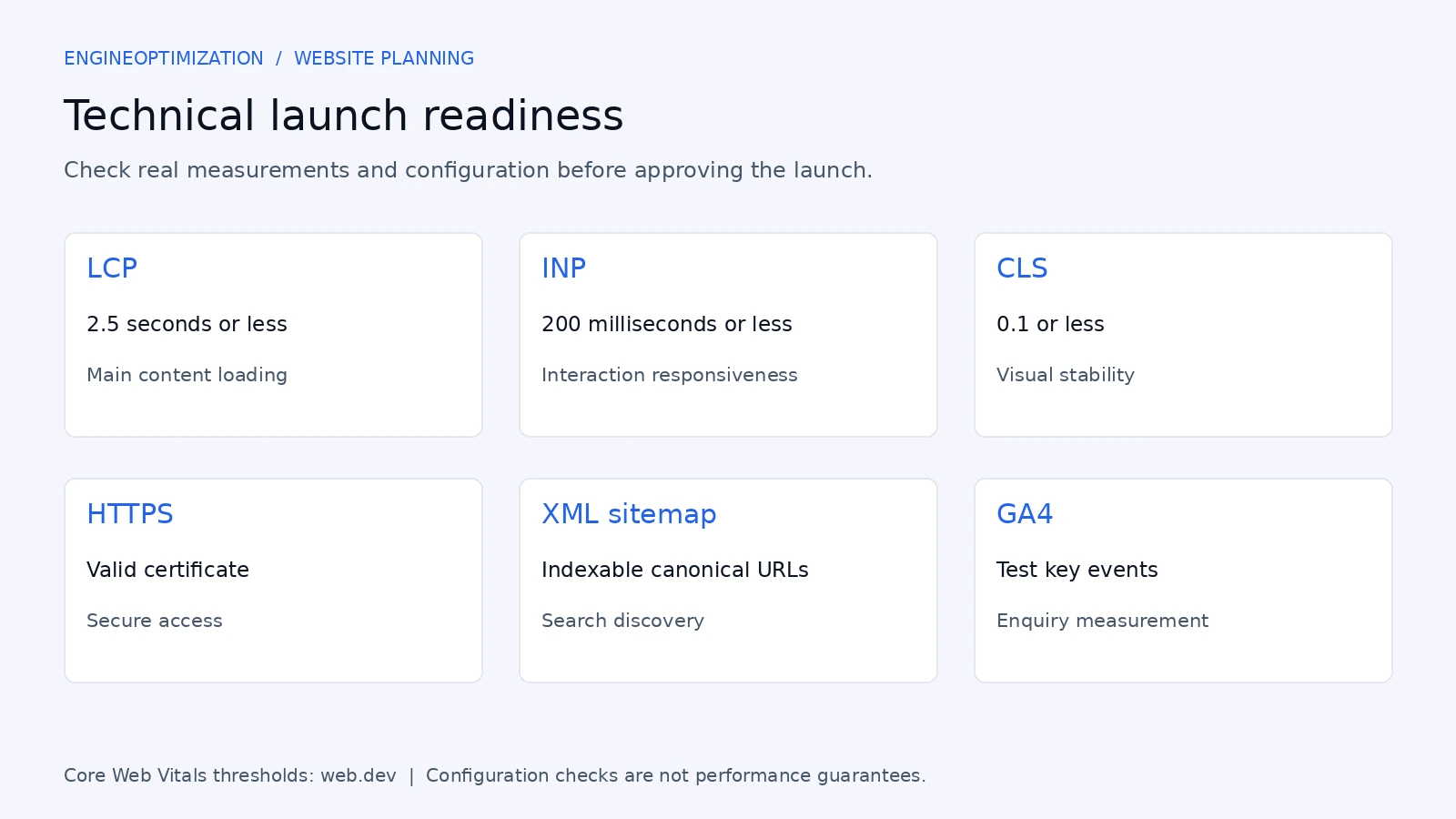
- Security and Legal Compliance: Serve every page over HTTPS with a valid SSL certificate, and publish accessible Privacy Policy and Terms pages linked in the website footer.
5. Page Speed, Core Web Vitals and Accessibility
Slow pages erode visitor patience and undermine both organic search visibility and paid ad landing page quality. Technical performance and accessibility should be verified on staging before launch:
- Core Web Vitals Benchmarks: Measure real-world and lab performance against Google's Core Web Vitals thresholds: Largest Contentful Paint (LCP) within 2.5 seconds, Interaction to Next Paint (INP) under 200 milliseconds, and Cumulative Layout Shift (CLS) below 0.1.
- Image and Asset Optimization: Compress images in modern formats such as WebP, define explicit width and height attributes to prevent layout shifts, and lazy-load below-the-fold media.
- Clean CMS and WordPress Architecture: If building on WordPress, choose a lightweight theme architecture, avoid stacking redundant page-builder add-ons, and keep plugins lean and updated. Review our WordPress Website Development services for structured, maintainable WordPress builds.
- Web Accessibility Standards: Follow W3C Web Content Accessibility Guidelines (WCAG 2.1) by maintaining at least a 4.5:1 text-to-background contrast ratio, supporting keyboard navigation, labeling all form inputs, and writing descriptive alt text for meaningful images.
6. Technical and On-Page SEO Foundations
Fixing structural SEO flaws after launch costs significantly more than building clean search architecture from day one. Confirm these essentials during development:
- Clean URL Structure and Redirects: Use short, descriptive, lowercase URLs separated by hyphens (such as /website-design rather than /page-id-142), and configure 301 redirects for any changed URLs during a redesign.
- Semantic Heading Hierarchy: Use exactly one descriptive H1 tag per page, followed by logical H2 and H3 subheadings that organize content clearly for readers and search engines.
- Unique Metadata and Canonicals: Write unique title tags and meta descriptions for every core page, and add self-referencing canonical tags to prevent duplicate URL variations.
- Contextual Internal Linking: Link related service pages, guides, and case examples using descriptive anchor text so search crawlers discover every indexable page.
- XML Sitemap, Robots.txt and Schema: Generate a clean XML sitemap containing only indexable canonical URLs, verify robots.txt rules so staging blocks are removed at launch, and implement Organization and BreadcrumbList structured data.
7. Conversion-Focused Forms and Enquiry Pathways
Your contact forms and calls to action connect marketing traffic to sales conversations. Small friction points in form design frequently cause qualified prospects to abandon the page:
- Minimize Form Friction: Ask only for the fields your sales team genuinely needs to respond effectively (typically name, business email or phone number, service needed, and brief project context).
- Action-Oriented CTA Copy: Use specific action labels on buttons (such as 'Request a Website Project Discussion' or 'Get a Service Quote') rather than vague labels like 'Submit'.
- Clear Error States and Confirmation: Display clear inline validation messages if a user misses a required field, and route completed submissions to a dedicated confirmation message or thank-you page stating expected response times.
- Spam Protection and Notification Routing: Protect forms against automated spam using lightweight validation or privacy-respecting verification without frustrating human visitors.
For organizations planning a complete commercial web presence tailored to lead generation and service positioning, explore our Business Website Development services.
8. Analytics, Search Console and Pre-Launch QA
Launching a website without verified measurement leaves your team guessing which pages and marketing channels generate enquiries. Complete this final verification checklist on launch day:
- GA4 Conversion Event Tracking: Install Google Analytics 4 (GA4) and configure key events for form submissions, thank-you page views, click-to-call taps, and email clicks.
- Google Search Console Setup: Verify domain ownership in Google Search Console, submit your XML sitemap, and monitor the Page Indexing report for crawl errors.
- Live Domain QA Walkthrough: Test every form, internal link, 404 error page, SSL redirect, and mobile breakpoint on real iOS and Android devices after moving from staging to the live domain.
Frequently Asked Questions About Business Website Design
At launch, most service and small business websites need a focused Homepage, individual pages for each core service, an About page establishing company credibility, a Contact page with direct enquiry options, and required legal pages such as a Privacy Policy.
Dedicated service pages allow you to explain deliverables, process, and answers to buyer questions in depth for each offering. They also give search engines and paid advertising campaigns a focused landing page that matches specific user intent.
Yes. WordPress powers a large share of business websites because it gives owners full content control, flexible SEO configuration, scalable page templates, and clean integration with analytics and CRM tools when built with lightweight theme and plugin practices.
Aim to meet Google's Core Web Vitals good thresholds, including loading the main hero content (Largest Contentful Paint) within 2.5 seconds and maintaining smooth responsiveness (Interaction to Next Paint under 200 milliseconds) on standard mobile connections.
Immediately verify that staging 'noindex' tags are removed, HTTPS redirects work across all URLs, every lead form delivers notifications properly, GA4 records test conversion events, and your XML sitemap is submitted in Google Search Console.