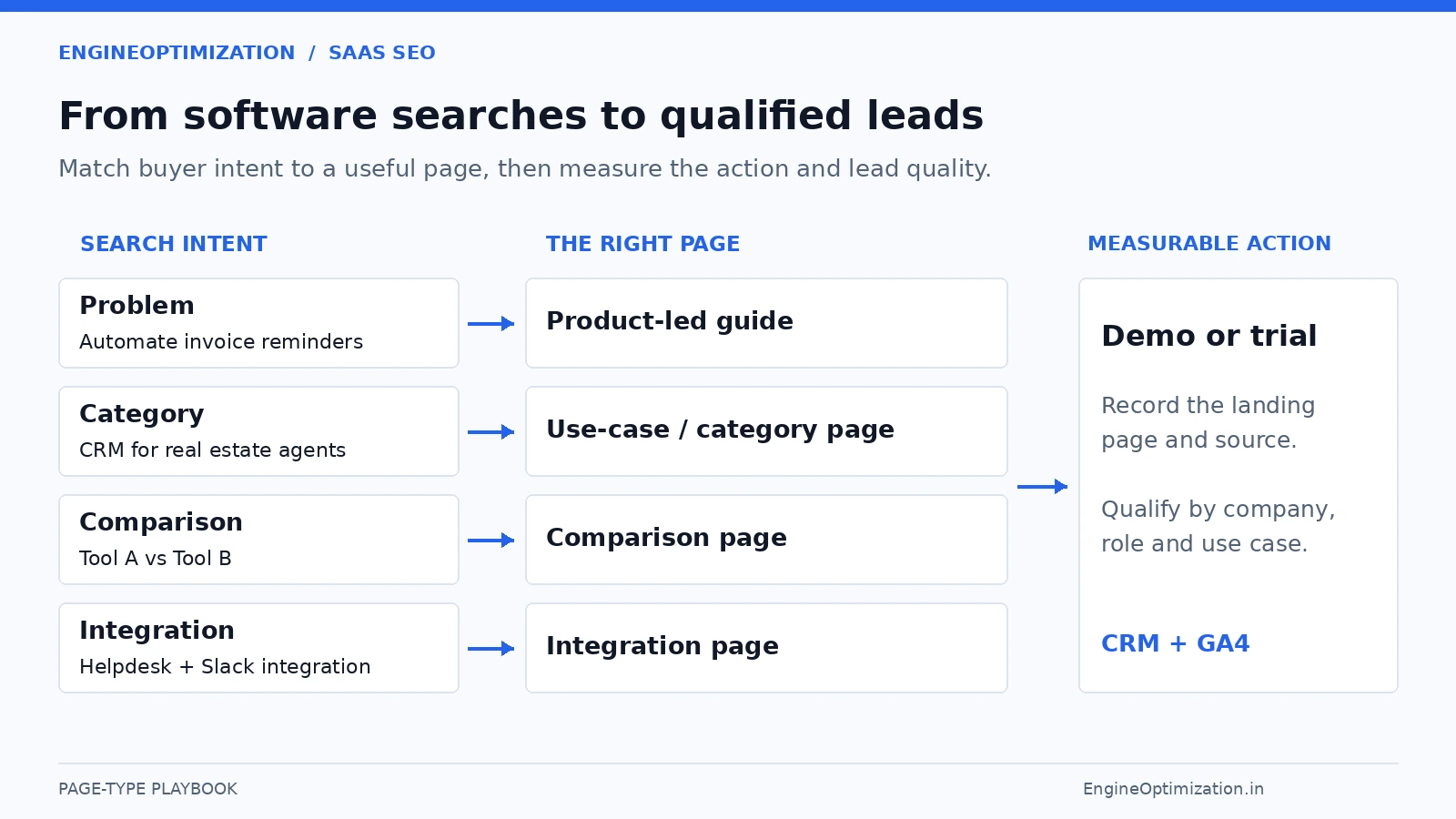


A service page has one important job: help the right visitor understand what your business offers and decide whether to contact you. If the page receives organic traffic but generates few relevant enquiries, the problem may be more than its ranking position. The content may not match what searchers expect, the offer may be unclear, or visitors may not see enough reason to trust the business.
An effective on-page SEO checklist helps you review the elements you can control on the page, including search intent, title tags, meta descriptions, headings, service copy, internal links, images, structured data and conversion elements.
This guide focuses on service pages for service businesses and B2B companies. Use it to review existing pages before creating new ones or investing further in SEO.
What is on-page SEO for service pages?
On-page SEO is the process of improving the content and HTML elements of an individual web page so that it clearly communicates its topic and provides a useful experience for visitors. For a service page, this includes explaining the service, matching relevant search intent, organising information, adding helpful links and making the enquiry process clear.
A service page is different from a blog post. A blog usually answers an informational question. A service page must explain what is offered, who it is for, what problem it solves, why the provider is credible and how a potential customer can take the next step.
Why do service pages need a dedicated SEO checklist?
A generic page checklist may confirm that a page has a title tag, H1 and meta description, but those elements alone do not make the page persuasive or useful. Service pages also need clear scope, relevant proof, answers to buyer concerns and a visible route to contact the business.
- Search relevance: the page should address the service and intent behind the query.
- Offer clarity: visitors should quickly understand what the service includes and who it helps.
- Trust: real experience, process details, credentials and verified proof should support the claims.
- Usability: the page should be easy to scan on mobile and provide a straightforward enquiry path.
- Conversion support: calls to action should match the visitor's readiness and the business's actual sales process.
On-page SEO checklist for service pages
1. Match the page with the right search intent
Before changing the title or adding keywords, confirm what the searcher expects to find. Someone searching for a service provider generally needs a service page, not a long educational article. Someone searching for a definition or how-to guide may need informational content instead.
- Identify the main service and the audience the page is intended to serve.
- Review the search results for the target query and note the dominant page type and common topics.
- Check whether searchers are looking for a provider, a specific service, pricing, a comparison or general information.
- Make sure the page answers the questions a potential customer needs resolved before enquiring.
- Avoid targeting several unrelated services or audiences on one page.
Example: a page targeting 'technical SEO services' should explain the technical work a provider can perform, the problems it addresses, the process and how to request support. A blog explaining what technical SEO means has a different purpose.
2. Write a unique and descriptive title tag
The title tag helps describe the page in search results and browser tabs. It should accurately represent the service and distinguish the page from other URLs on the website.
- Include the main service phrase naturally when it accurately describes the page.
- Add a useful qualifier, audience or location only when it is genuinely relevant.
- Keep titles distinct across service pages; avoid using the same generic title for every service.
- Make sure the title matches the visible page heading and actual service offer.
- Avoid repeating the same keyword or adding a list of keyword variations.
Example: 'B2B Content Writing Services | EngineOptimization.in' is clearer than 'Best Services – Home'. Use a title that reflects the real page, not a claim the business cannot substantiate.
3. Create a useful meta description
A meta description can help summarise the page and influence how it is presented in search snippets, although search engines may choose other text from the page. Write it for the person deciding whether to click.
- Summarise the service and its intended audience.
- Mention a genuine benefit or scope detail that helps distinguish the offer.
- Use natural language and a clear next step where appropriate.
- Write a unique description for each important service page.
- Do not stuff the description with repeated keywords or make unsupported promises.
Example: 'Improve your website's service pages with clear SEO-focused copy, stronger page structure and relevant internal links. Request a page review.'
4. Structure the page with one clear H1 and useful headings
Headings help visitors understand the page and move to the information they need. Use a clear H1 for the main service and organise supporting topics under descriptive H2 and H3 headings.
- Use one prominent H1 that clearly identifies the service and aligns with the page's purpose.
- Use H2 headings for major sections such as service scope, process, benefits, industries or FAQs.
- Use H3 headings to organise details within a larger section.
- Make headings descriptive rather than using vague labels such as 'More Information' everywhere.
- Do not add keywords to headings where they make the wording awkward or repetitive.
A possible structure for a B2B service page is: service overview, problems addressed, what's included, process, who the service is for, proof and experience, FAQs, and a contact section. Adapt the structure to the real service rather than forcing every page into an identical template.
5. Write helpful service copy that explains the offer
The main copy should answer the questions a potential customer would ask before contacting you. Avoid generic paragraphs that could describe any agency or provider.
- Explain the customer's problem or requirement in plain language.
- Describe exactly what the service includes and, where useful, what it does not include.
- Explain the process, key stages, deliverables and expected client involvement.
- Identify the types of businesses or situations the service is suitable for.
- Address common objections, constraints and questions honestly.
- Use examples that clarify how the service works; do not invent client outcomes or results.
For example, a service page for SEO content writing could explain content brief development, search-intent alignment, drafting, editing, on-page recommendations and review. Only list deliverables that the business actually provides.
6. Use keywords naturally and cover related topics
Choose one primary topic for the page and use related phrases where they help explain the service. Search engines can understand related language and context; repeating an exact keyword in every paragraph does not make a page more useful.
- Use the primary service phrase naturally in the title, H1 and relevant introductory copy.
- Include close variations and related terms where they accurately describe the offer.
- Use customer language gathered from sales calls, enquiries and genuine support questions.
- Cover relevant entities, processes, tools or service components when they help explain the work.
- Avoid keyword density targets and unnatural repetition.
If two phrases represent different services or different buyer needs, consider whether they deserve separate pages. Do not create separate URLs simply to target minor wording variations.
7. Add internal links that help visitors take the next step
Internal links connect related pages and help visitors discover useful information. They can also help search engines understand the relationship between pages.
- Link to the relevant main service page from related educational articles.
- Link from the service page to useful supporting resources, case studies or process explanations where available.
- Use descriptive anchor text that tells visitors what they will find after clicking.
- Link to related services only when they are genuinely relevant to the visitor's need.
- Review important pages for broken links and unnecessary redirect destinations.
Do not add links just to increase the link count. A small number of relevant, contextual links is more useful than a crowded section of unrelated links.
8. Use images that support the service explanation
Images can make a service page easier to understand, demonstrate real work or explain a process. Use relevant visuals rather than generic stock images that add no information.
- Use authentic project images, team photographs, process diagrams or service-specific illustrations where available.
- Give image files descriptive names before uploading.
- Write alt text that describes the meaningful information in the image; do not turn alt text into a list of keywords.
- Compress images and use suitable modern formats where supported.
- Keep decorative images from adding unnecessary screen-reader noise.
If a visual claims to show a client project, dashboard or result, make sure it is genuine and approved for publication.
9. Add relevant proof and trust signals
A potential customer needs a reason to believe that the business can deliver the service. Trust signals should be genuine, specific and easy to verify.
- Add real testimonials with permission and accurate attribution.
- Show case studies that explain the business context, work completed and verified outcomes.
- Include relevant team experience, qualifications or certifications only when accurate.
- Explain the delivery process, communication approach and what the customer can expect.
- Keep contact details, company information and service descriptions consistent.
- Avoid vague claims such as 'number one', 'guaranteed results' or 'industry-leading' unless they can be substantiated.
If the business does not yet have public case studies, explain the process clearly and provide other genuine evidence. Do not fabricate testimonials or logos to fill a design gap.
10. Include clear calls to action
A service page should make it obvious what a visitor can do next. The right CTA depends on the service, buying cycle and amount of information the visitor needs before making contact.
- Use a primary CTA that describes the next step, such as 'Request a Consultation' or 'Get a Service Review'.
- Place a clear CTA near the top of the page and repeat it after relevant sections where it makes sense.
- Keep forms focused on information the team actually needs to respond.
- Explain what happens after submission, such as when and how the team will follow up, only if the process is reliable.
- Make phone, email and messaging options usable on mobile when they are part of the sales process.
- Test every button, form, thank-you page and notification.
Avoid competing calls to action that ask visitors to do several different things at once. A clear primary action is easier to understand.
11. Add FAQs that answer real buyer questions
FAQs can help clarify service scope and address concerns that may otherwise prevent an enquiry. Choose questions from real sales conversations, customer emails, support tickets and relevant search queries.
- Answer pricing questions carefully; explain what affects cost if exact pricing varies.
- Clarify service inclusions, exclusions and the information needed to begin.
- Explain timelines without promising a fixed outcome that depends on external factors.
- Address suitability, industries served and implementation requirements accurately.
- Keep answers concise, direct and consistent with the main page.
Do not add FAQs merely to repeat keywords. Also, do not assume FAQ schema will generate a special search result; structured data should be used only when appropriate and compliant with current search engine guidance.
12. Review structured data where relevant
Structured data can help search engines interpret information on a page. Use markup that accurately represents visible content and the type of page. For a service business, appropriate organisation or breadcrumb markup may be relevant at the site level; other types should be selected only when the page meets the requirements.
- Keep organisation name, URL and contact information accurate.
- Use BreadcrumbList only when it reflects the visible breadcrumb structure.
- Use Article markup for editorial content, not as a substitute for service-page markup.
- Do not invent ratings, reviews, prices or service claims.
- Validate markup with Google's supported testing tools and monitor relevant Search Console reports.
A practical service-page structure

| Section | What it should communicate |
|---|---|
| Hero / opening | Who the service helps, what is offered and the primary next step. |
| Service overview | The problem addressed and the value of the service in clear language. |
| Scope and deliverables | What is included, how it works and what the customer receives. |
| Process | The main stages, responsibilities and communication expectations. |
| Benefits and suitability | Who the service is right for and what practical needs it addresses. |
| Proof and trust | Verified case studies, testimonials, credentials, team experience or process evidence. |
| FAQs | Answers to common buyer questions and objections. |
| Final CTA | A clear next step with a usable contact or enquiry route. |
Common on-page SEO mistakes on service pages
- Using the same title tag, H1 and generic copy across several service pages.
- Writing for search engines while failing to explain the actual service to a customer.
- Targeting multiple unrelated services with one page and weakening the page's purpose.
- Repeating keywords unnaturally or following arbitrary keyword-density targets.
- Adding generic stock imagery, fake testimonials or unverified performance claims.
- Hiding the main offer or CTA below long blocks of vague introductory text.
- Adding internal links that do not help the visitor or relate to the service.
- Treating a meta description as a guaranteed Google snippet.
- Publishing FAQs or schema only to chase rich results rather than answer real questions.
How to review whether an optimised service page is working
After updating a service page, measure both search performance and business outcomes. Google Search Console can show queries, clicks, impressions, click-through rate and average position for the page. Analytics and CRM data can help show whether visitors engage with the page and whether enquiries become qualified opportunities.
| Area | What to monitor | What it helps you understand |
|---|---|---|
| Search visibility | Relevant queries, impressions, clicks and average position. | Whether the page is appearing for relevant searches. |
| Search result engagement | CTR and changes in query mix. | Whether the result presentation attracts suitable visitors. |
| Page engagement | Landing-page sessions, engagement and CTA interactions. | Whether visitors explore the offer and take next steps. |
| Lead generation | Form submissions, calls, consultation requests and qualified leads. | Whether the page contributes to business opportunities. |
| Lead quality | Sales feedback, suitability and conversion to opportunity. | Whether the page attracts the right audience, not just more traffic. |
Before making changes, record a baseline and verify that conversion tracking works. Avoid attributing every movement to one edit; rankings, demand, competition, seasonality and other site changes can influence performance.
Frequently asked questions
For a service page, review search intent, title tag, meta description, H1 and headings, service copy, keyword relevance, internal links, images and alt text, trust signals, calls to action, FAQs and relevant structured data.
A service page should have one clear primary topic and can naturally cover closely related phrases that share the same intent. There is no fixed keyword count or density that guarantees rankings. If a phrase represents a different service or user need, consider a separate page.
There is no universal word-count requirement. The page should include enough useful information to explain the service, answer relevant buyer questions and support a decision. A simple service may need less copy than a complex B2B offering.
Yes. Each important service page should have a descriptive title and a page-specific meta description that accurately summarise its content. Search engines may rewrite title links or snippets, but unique and clear metadata helps communicate each page's purpose.
Relevant internal links help visitors discover related information and help search engines understand how pages connect. Link naturally from related blogs, service hubs and relevant pages using descriptive anchor text.
No. On-page SEO can improve relevance, clarity and usability, but enquiries also depend on search demand, competition, the service offer, pricing, reputation, lead handling and the visitor's needs. Measure qualified enquiries rather than assuming that better metadata alone will increase leads.
Conclusion: Make every service page useful to searchers and buyers
A strong service page does more than include a keyword in its title. It matches the searcher's intent, explains the service clearly, answers buyer questions, provides genuine reasons to trust the business and makes the next step easy.
Use this on-page SEO checklist to review your existing pages one at a time. Start with the services that matter most to the business, improve the information visitors need to make a decision and measure both organic visibility and qualified enquiries.