
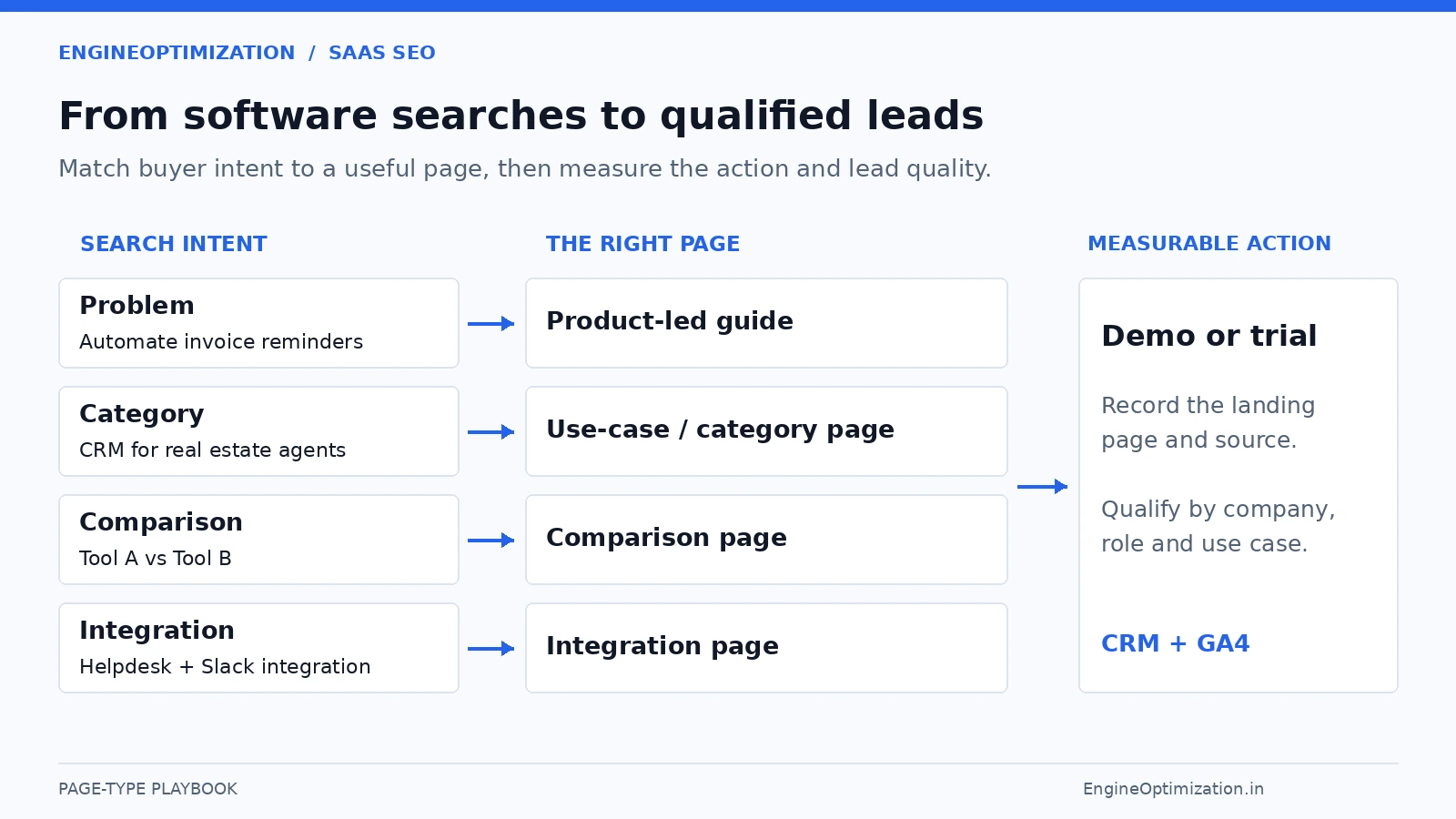
People who search for software rarely type the name of your company first. They search for a problem (“automate invoice reminders”), a category (“CRM for real estate agents”), a comparison (“Tool A vs Tool B”) or a connection (“Slack integration for helpdesk software”). A SaaS SEO strategy decides which of those searches you should own, which page should answer each one, and how you will know whether the visitors it brings are worth a sales conversation.
This guide walks through that process page type by page type, from the first keyword list to the report that shows qualified demos and trials coming from search.
What is a SaaS SEO strategy?
A SaaS SEO strategy is a plan for earning organic search visibility for the problems, categories, comparisons and integrations your software is relevant to, and for turning that visibility into trials, demos and paying subscribers. It covers which keywords to target, which page types to build, how the site is set up technically and how results are measured.
How SaaS SEO differs from regular SEO
The core ingredients are the same as any SEO programme: useful content, a crawlable site and credible links. Three things change the emphasis for software companies.
- The product is abstract. A buyer cannot see or touch it, so pages must show what it does in context: screenshots, workflows, short demos and real use cases.
- The sale is considered and often shared. A B2B purchase may involve a user, a manager and someone checking security or budget. Different people search at different stages.
- The goal is recurring revenue. A visitor who signs up and churns in a month is worth far less than one who fits your ideal customer profile. Traffic alone is a weak measure.
Map the SaaS buying journey to search intent
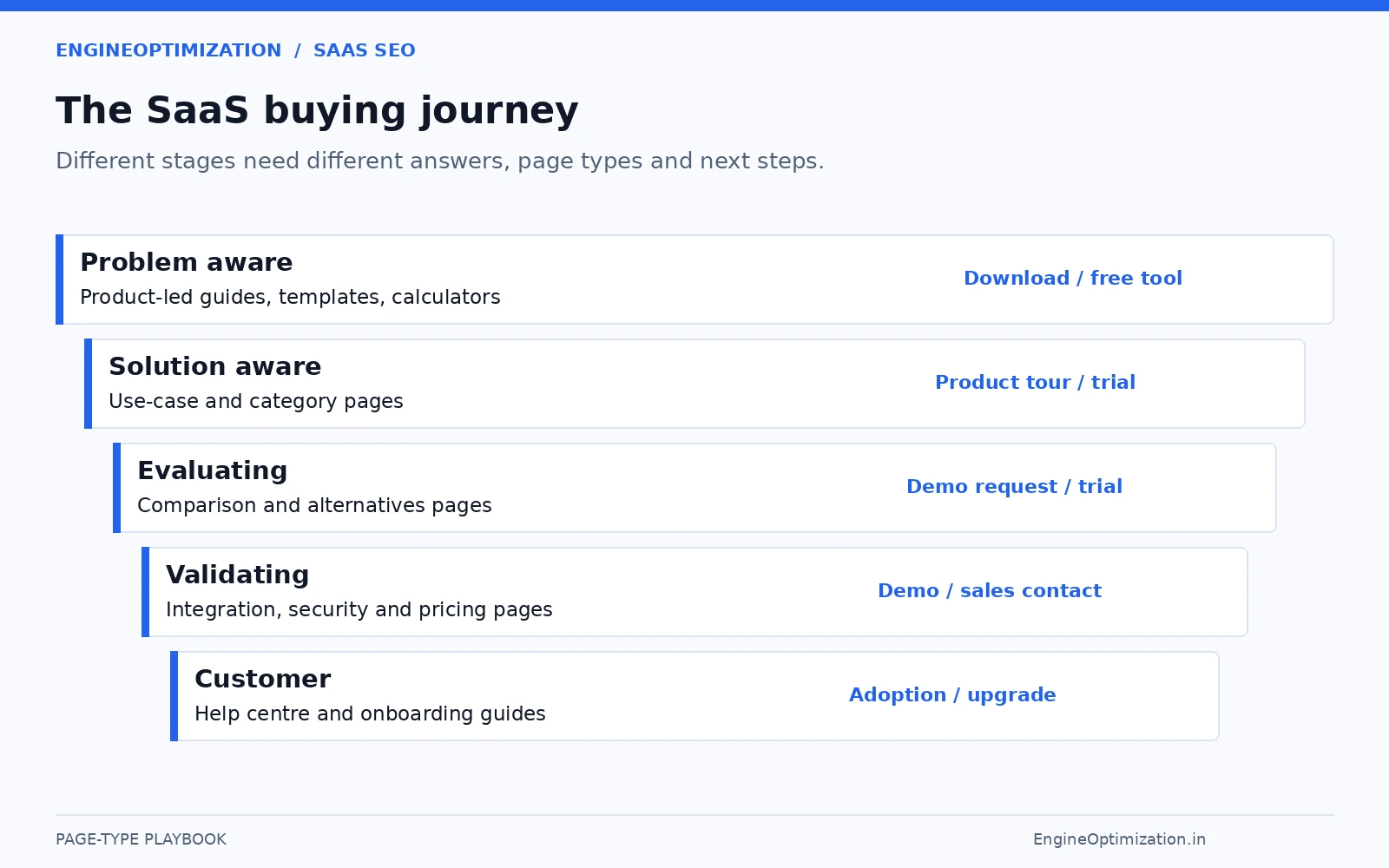
Before writing anything, match each stage of the buying journey to the searches people make, the page that should answer them and the action you want them to take. This prevents the most common SaaS SEO problem: a blog full of awareness articles and no pages that capture people who are ready to evaluate.
| Buying stage | What the buyer is thinking | Typical search pattern | Best page type | Conversion action |
|---|---|---|---|---|
| Problem aware | “Is there a better way to do this?” | how to [task], [problem] template | Product-led guide, template, calculator | Email sign-up, template download, free tool use |
| Solution aware | “What kind of tool solves this?” | [category] software, [category] for [industry] | Use-case page, category page | Product tour, trial |
| Evaluating | “Which tool fits us best?” | [competitor] alternatives, [tool] vs [tool], best [category] for [team] | Comparison and alternatives pages | Demo request, trial |
| Validating | “Will this work with our stack and rules?” | [product] + [integration], [product] security, [product] pricing | Integration, security and pricing pages | Demo, sales contact |
| Customer | “How do I get more from it?” | how to [feature] in [product] | Help centre, onboarding guides | Feature adoption, upgrade |
Most growing SaaS sites benefit from building the evaluating and validating pages early, because those visitors are closest to a decision, and then widening into problem-aware content. If you sell to more than one segment, run this mapping separately for each, since a startup founder and an enterprise IT lead search very differently.
SaaS keyword research that starts with the product
Good SaaS keyword research starts with what your customers already say, not with a seed term in a tool. Keyword tools are useful for checking demand and competition, but the language buyers use is usually found closer to home:
- Sales call notes and recordings, especially the phrases prospects use to describe their problem
- Support tickets and live chat logs
- Onboarding survey answers (“What were you using before us?”)
- Search terms already bringing impressions in Google Search Console
- Lost-deal reasons recorded in the CRM
Four keyword families worth separating
Grouping keywords this way makes it easier to assign each one to the right page type.
- Problem and job keywords. The task without naming software, such as “track employee leave requests”. These suit product-led guides.
- Category and use-case keywords. The type of tool, often with a qualifier: “leave management software for startups”. These suit use-case and category pages.
- Comparison and alternative keywords. Searches naming a competitor. These suit comparison and alternatives pages.
- Integration and validation keywords. Your product plus another tool, or terms like pricing, security and compliance. These suit integration and trust pages.
Prioritise by customer fit, not volume
A broad term with large demand can bring visitors who will never buy. A narrow term such as “[category] software for dental clinics” may have little measurable volume yet reach exactly the right buyer. When scoring keywords, weigh how closely the searcher matches your ideal customer, how directly your product solves the query and whether you can honestly be one of the best answers. Search volume is a tiebreaker, not the starting point.
Product and feature pages
Product and feature pages often attract commercial searches such as “[category] software with [feature]”. They work best when they explain an outcome, not a list of buttons.
A dependable structure:
- A clear heading stating what the feature lets the user achieve
- One short paragraph on the problem it solves and who it is for
- Visual proof: an annotated screenshot, GIF or short video of the feature in use
- How it works: three to five steps or capabilities in plain language
- Related features and integrations linked internally
- Proof points you can verify, such as customer quotes you have permission to use
- One primary call to action, with a secondary option for people not yet ready
If your feature pages are also used for paid campaigns, keep the organic version richer in explanation. A well-planned landing page design process can serve both needs without creating thin duplicates.
Use-case pages for jobs, roles and industries
Use-case pages connect your product to a specific situation: a job (“client onboarding”), a role (“for HR managers”) or an industry (“for logistics companies”). They capture people who know the kind of tool they need but want reassurance that it fits their world.
Build a use-case page only when you can say something specific about that audience. A useful test: if you could swap the industry name for another and the page would still read the same, it is not ready.
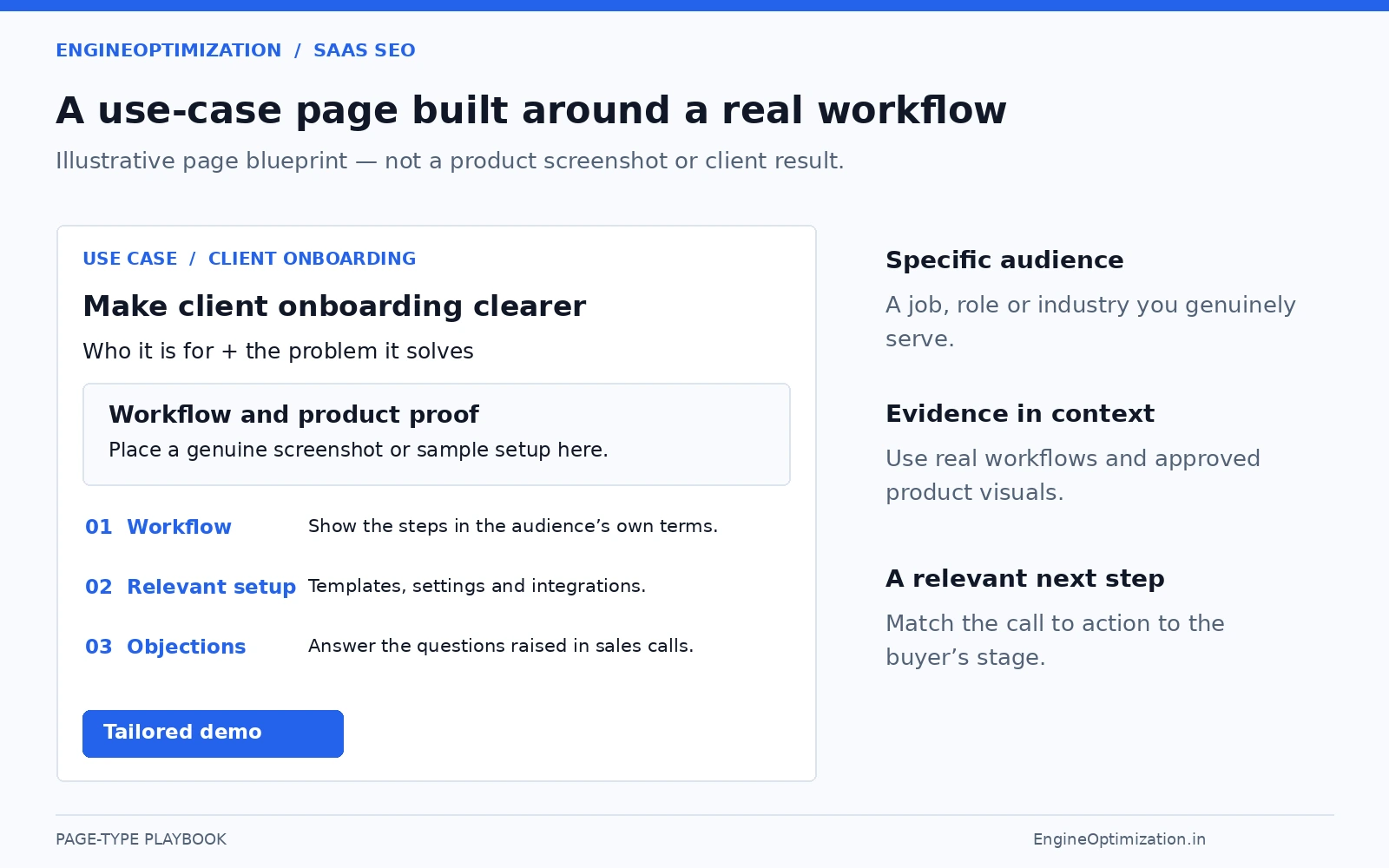
A strong use-case page usually includes:
- The specific workflow or pain point for that audience, described in their terms
- How the product handles it, shown with screenshots or a sample setup
- Templates, settings or integrations that matter to that audience
- Answers to the objections that audience raises in sales calls
- A call to action that fits their stage, such as a pre-configured trial or a tailored demo
Use-case pages can be created at scale, but a set of near-identical templated pages tends to add little for readers. Fewer, deeper pages for the segments you actually serve are usually the safer choice.
Comparison and alternatives pages
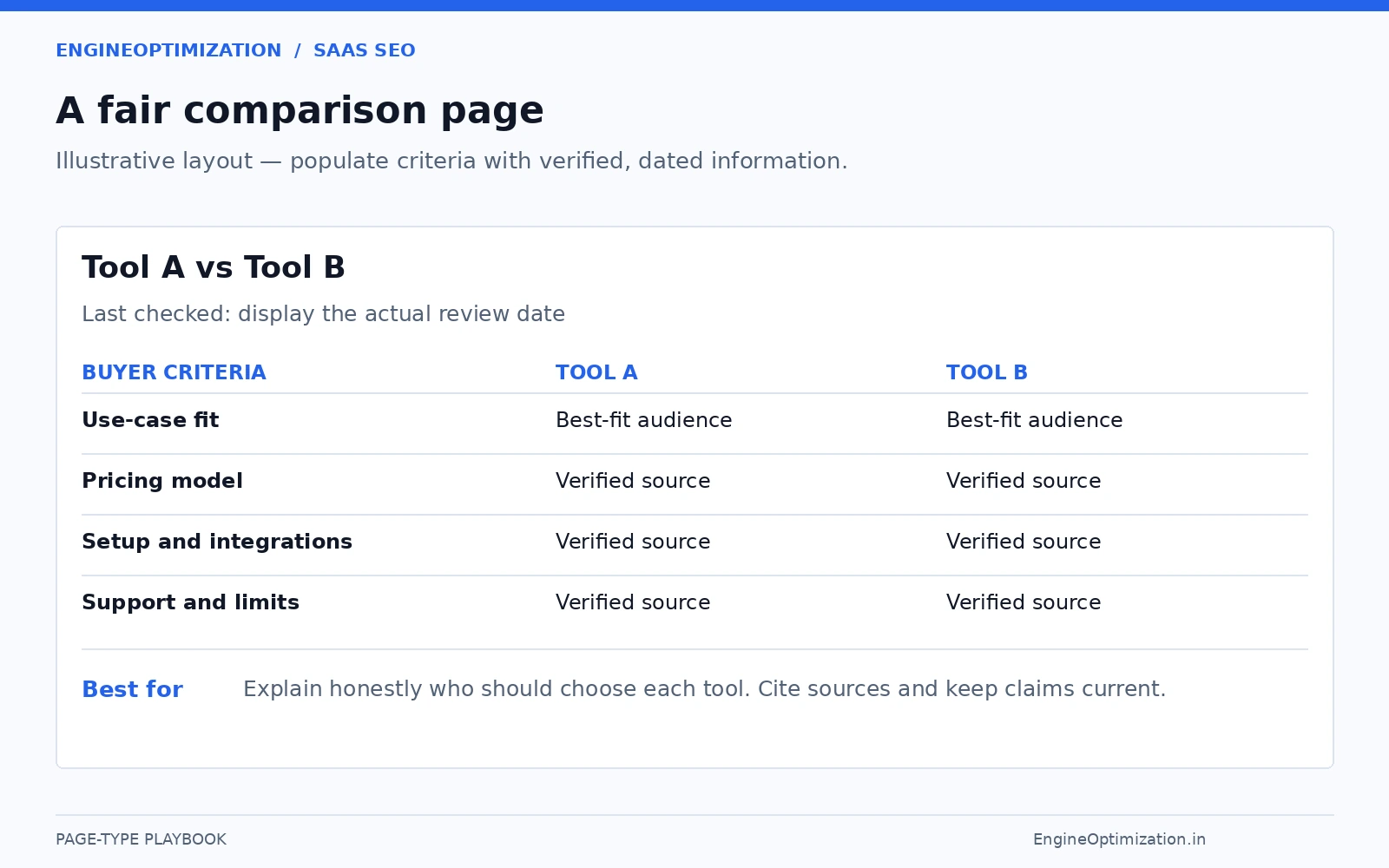
Comparison pages (“Tool A vs Tool B”) and alternatives pages (“best Tool A alternatives”) reach buyers who are already evaluating. They are some of the most commercially valuable pages a SaaS site can have, and some of the easiest to get wrong.
To make them useful and credible:
- Be fair. Acknowledge where a competitor is the better fit. Readers have usually already seen the competitor’s site, and one-sided claims cost trust.
- Compare on what buyers care about: use cases, pricing model, setup effort, integrations, support and limits.
- Date your claims. Competitor features and pricing change. Show when the comparison was last checked and review it on a regular schedule.
- Cite sources for competitor information where possible, such as their public pricing page.
- Explain who should choose which tool. A short “best for” summary helps readers decide quickly.
An alternatives page should list several genuine options, including your own, with honest notes on each. A page that names one alternative (you) and dismisses the rest rarely satisfies the search.
Integration pages
Integration searches tend to come from people checking whether your product fits the tools they already use. These visitors are often far along in their decision, and integration pages can also be shared by your integration partners.
A useful integration page answers four questions:
- What does the integration do? Name the specific data that syncs and the direction it moves.
- Who is it for? Describe the workflow it improves.
- How do you set it up? Give short steps or link to the help article.
- What are the limits? Note plan requirements, sync frequency or unsupported fields.
Many SaaS companies generate integration pages from a template. That is reasonable, but pages with only a logo and one sentence are thin. If several integration pages are near duplicates, consider consolidating them or adding genuine detail for the most-used connections first. Where similar URLs must stay live, Google’s guidance on consolidating duplicate URLs explains how to signal the preferred version.
Product-led content for informational searches
Product-led SEO means creating informational content where the product is part of the answer, not an advert pasted at the end. A guide on “how to build a sales pipeline report” from a CRM company can teach the method properly, then show how the same report is built in the product.
Formats that suit product-led content:
- How-to guides that solve a real task, with a product walkthrough as one route
- Free templates and checklists people can use with or without your tool
- Calculators and small free tools tied to the problem your product solves
- Benchmark or survey reports, if you have permission to use the data
Keep the teaching honest. If the reader can complete the task without your product, say so and show both routes. The content earns trust first and conversions second. Google’s guidance on creating helpful, people-first content is a good test for whether a piece is written for readers or only for rankings.
Organising these articles into clusters around each product area, with clear links to the related feature or use-case page, is where a structured content strategy pays off.
Technical foundations for SaaS websites
SaaS sites have a few recurring technical risks. Most are avoidable if marketing and engineering agree on them early.
- JavaScript rendering. Many SaaS marketing sites are built on JavaScript frameworks. Google can process JavaScript, but important text and links should be available reliably. Google’s JavaScript SEO basics explains how crawling, rendering and indexing work. Use the URL Inspection tool in Search Console to check what Google actually sees.
- Keep the app separate from the marketing site. Logged-in dashboards, staging environments and account pages should not appear in search. Use a
noindexrule for pages that must stay crawlable but unindexed. Note that if a page is blocked in robots.txt, Google cannot see itsnoindexrule, as Google’s noindex documentation explains. - Templated pages and duplicates. Integration, use-case and comparison templates can create near-duplicates. Set self-referencing canonicals on unique pages and consolidate where content overlaps.
- Internal links and depth. Feature, use-case, comparison and integration pages should be linked from navigation, hub pages and relevant articles, not left as orphans.
- Speed and mobile experience. Heavy scripts, chat widgets and tracking tags can slow pages. Review them regularly.
- Publishing workflow. If every new page needs an engineering ticket, the content plan stalls. A CMS that lets marketing publish and update pages safely is part of the technical foundation.
A full technical SEO audit is worth running before scaling any templated page type.
How to track demos, trials and lead quality
Rankings and traffic tell you whether you are visible. They do not tell you whether search is producing customers. A SaaS SEO measurement setup needs three layers.
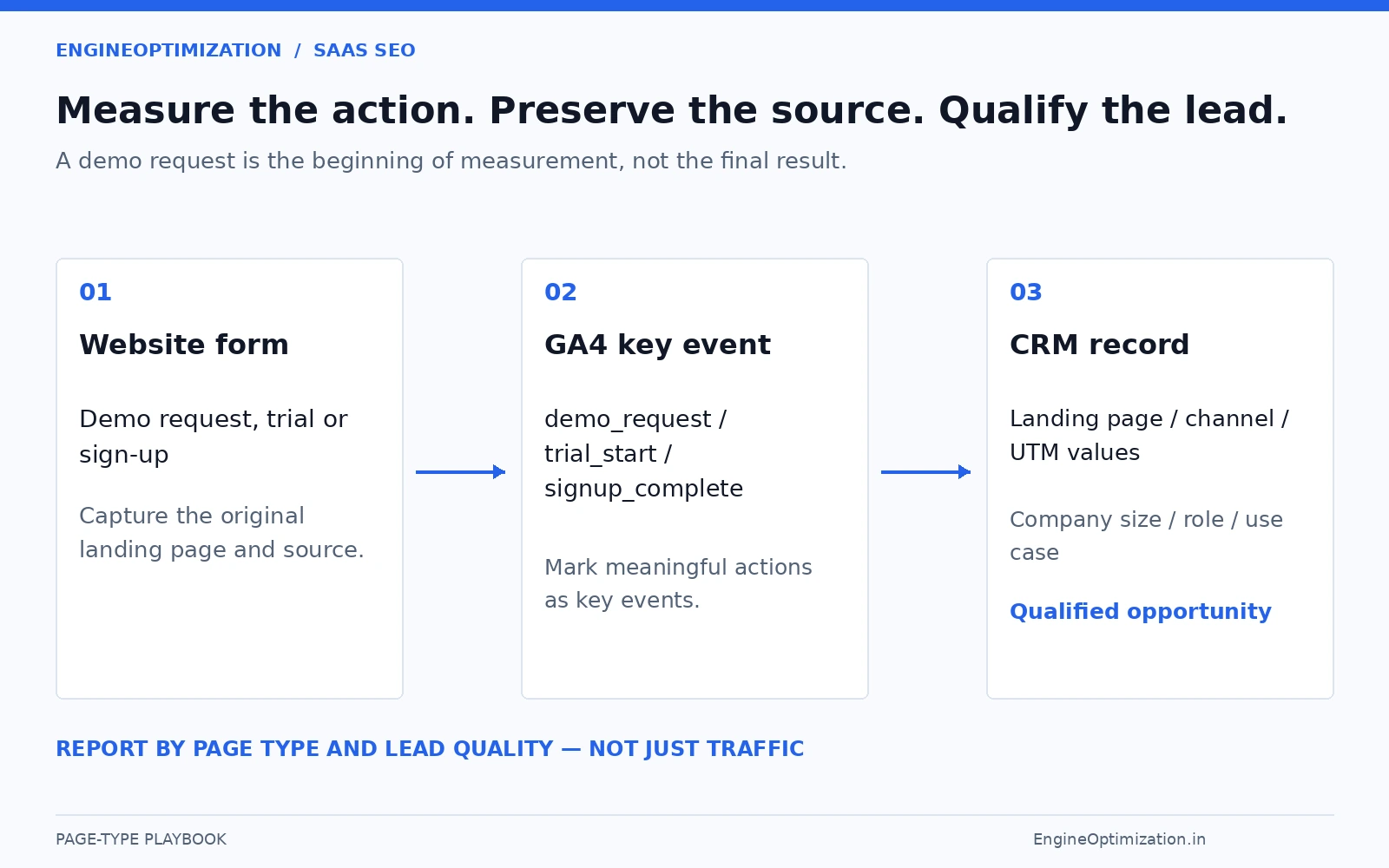
1. Capture the conversion. In Google Analytics 4, send events for the actions that matter, such as demo_request, trial_start and signup_complete, and mark them as key events. Google’s help article on key events in GA4 covers how these are reported.
2. Pass the source into the CRM. Store the original landing page, the first-touch channel and UTM values in hidden form fields or through your marketing automation tool, so every lead record shows whether it came from organic search and which page started the journey.
3. Judge the quality. Add fields your sales team already uses to qualify leads, for example company size, role, use case and whether the lead became a sales-qualified opportunity. Then report organic leads by landing page and by quality, not just by count.
This lets you answer the questions that matter: which page types produce opportunities, which bring sign-ups that never activate, and where to invest next.
What a useful SaaS SEO report shows
| Metric | Source | Why it matters |
|---|---|---|
| Non-branded clicks and impressions by page type | Google Search Console | Shows growth in discovery beyond people who already know you |
| Key events (demos, trials, sign-ups) from organic search | GA4 | Connects pages to actions |
| Organic leads by landing page | CRM | Shows which content starts journeys |
| Qualified opportunities from organic | CRM | Separates useful leads from volume |
| Trial-to-paid or demo-to-opportunity rate by page type | CRM and product analytics | Reveals which intent converts |
| Organic revenue or pipeline influenced | CRM | Supports budget decisions |
Attribution in B2B SaaS is never perfect, because buyers often return through branded search, direct visits or a colleague’s link. Treat these figures as directional and review them over several months.
Where AI search fits in a SaaS SEO strategy
Buyers now also research software through AI answers in Google and other assistants. Google states that standard SEO best practice still applies to its AI features and that there are no additional requirements or special optimisations for AI Overviews or AI Mode. To appear as a supporting link, a page must be indexed and eligible to show a snippet. You can read this in Google’s guide to AI features and your website.
In practice, the pages described above already suit AI-driven research: clear definitions, fair comparisons, specific use cases and integration details are the kind of information these systems summarise. Keep factual details consistent across your site and third-party profiles, and write sections that make sense on their own. Nobody can guarantee a mention in an AI answer, but well-structured, accurate pages give you a fair chance. Our generative engine optimisation page covers this area in more depth.
A practical order of work
Every product and market is different, but this sequence suits most SaaS teams starting or resetting their organic programme:
- Set up measurement first: Search Console, GA4 key events and CRM source fields.
- Fix technical blockers: rendering, indexing of the app, duplicates and internal linking.
- Build evaluation pages: comparison, alternatives and your most-used integrations.
- Build solution pages: feature pages and use-case pages for your core segments.
- Add product-led content: guides, templates and tools for problem-aware searches.
- Review and refresh: update comparisons, prune thin templated pages and improve pages that bring traffic but few qualified leads.
Common SaaS SEO mistakes
- Publishing only blog posts and no pages for buyers who are ready to evaluate
- Choosing keywords by volume rather than customer fit
- Letting the app, staging site or account pages get indexed
- Creating hundreds of near-identical templated pages
- One-sided or out-of-date comparison pages
- Measuring traffic and sign-ups but never lead quality
- Treating SEO as separate from product marketing and sales input
Frequently asked questions
The techniques are similar, but a SaaS SEO strategy places more weight on page types such as feature, use-case, comparison and integration pages, on showing an intangible product clearly, and on measuring trials, demos and recurring revenue instead of one-off sales.
Most SaaS companies get faster commercial value from pages that serve buyers who are already evaluating: comparison and alternatives pages, key integration pages and core use-case pages. Informational content then widens reach over time.
Product-led SEO is content that solves a reader’s problem and shows the product as part of the solution, for example a how-to guide that teaches the method and then demonstrates it inside the software.
It depends on your site’s current authority, competition in your category and how quickly you publish and fix technical issues. Lower-competition, high-intent pages can start bringing visitors sooner than broad terms, but SEO should be planned and judged over months rather than weeks.
Track demos, trials and sign-ups as key events in GA4, pass the landing page and source into your CRM, and record qualification fields so you can report qualified opportunities from organic search by page type.
According to Google, there are no extra requirements or special optimisations for AI Overviews or AI Mode. A sound SaaS SEO strategy with indexable, accurate and well-structured pages is the starting point.
Next step
A SaaS SEO strategy works when each search your buyers make leads to a page that answers it properly and to a conversion you can measure. Start with the evaluation and use-case pages closest to a buying decision, build the tracking that shows lead quality, then expand into product-led content.
If you would like a second view on your current pages and priorities, you can review your SaaS organic growth plan with the EngineOptimization.in team.